HOME - Detecting RDP Brute Force in a Windows Domain Lab
 Detecting RDP Brute Force in a Windows Domain Lab
| Role | SOC Analyst / Security Researcher |
|---|---|
| Environment | VMware Lab |
| Attack | RDP Brute Force |
| Detection | Wireshark · Security Onion · Splunk |
| Status | Successfully Investigated |
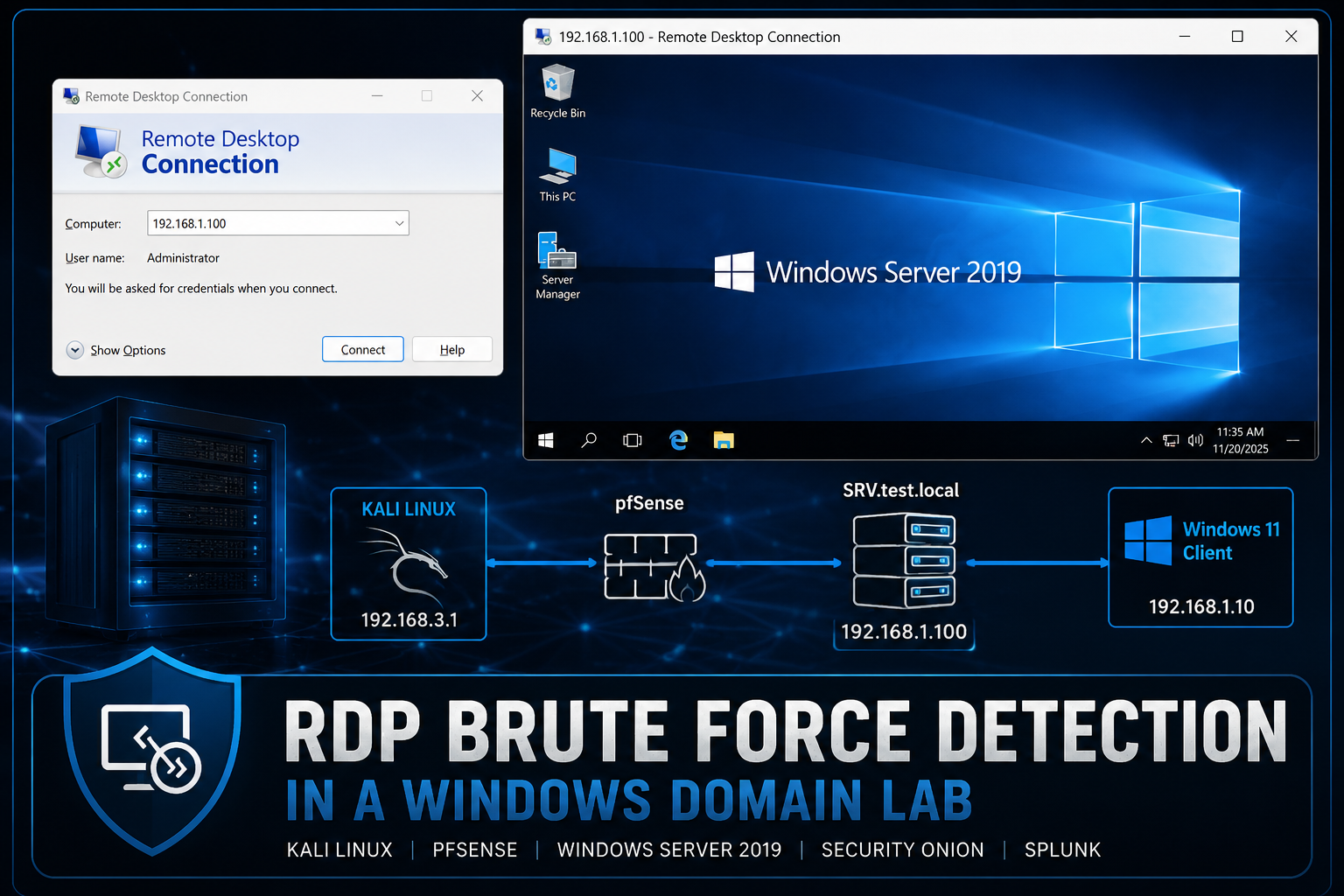
Simulated an RDP brute force attack against a Windows Server 2019 domain controller and correlated network, IDS, host, and SIEM evidence using Wireshark, Security Onion, Windows Event Viewer, and Splunk.
Project Overview
This project demonstrates how a SOC analyst can detect and investigate Remote Desktop Protocol (RDP) brute force activity in a Windows domain environment. A Kali Linux system was used to generate repeated authentication attempts against a Windows Server 2019 domain controller over TCP port 3389. Network and host telemetry were then correlated across Wireshark, Security Onion, Windows Event Viewer, and Splunk.
The objective was to trace the attack from the initial connection attempts through the eventual successful login and show how multiple security tools provide complementary evidence during an investigation.
Objectives
– Simulate repeated RDP authentication attempts from Kali Linux.
– Capture and validate RDP traffic on TCP port 3389.
– Identify IDS alerts and RDP session metadata in Security Onion.
– Investigate Windows logon failures and successes using Event IDs 4625 and 4624.
– Correlate authentication activity in Splunk.
– Connect the attacker IP, targeted account, destination server, and final successful login into one incident timeline.
Lab Environment
– Kali Linux attacker: 192.168.3.1
– pfSense firewall/router
– Windows Server 2019 domain controller: SRV.test.local / 192.168.1.100
– Windows 11 client: 192.168.1.10
– Security Onion sensor
– Splunk server
– VMware Workstation
– Active Directory domain lab
Lab Topology
The environment was segmented into multiple virtual networks connected through pfSense. Kali Linux represented the external attacker, while the Windows Server 2019 domain controller provided Active Directory and Remote Desktop services. Security Onion monitored the traffic, and Splunk collected Windows Security logs for correlation.
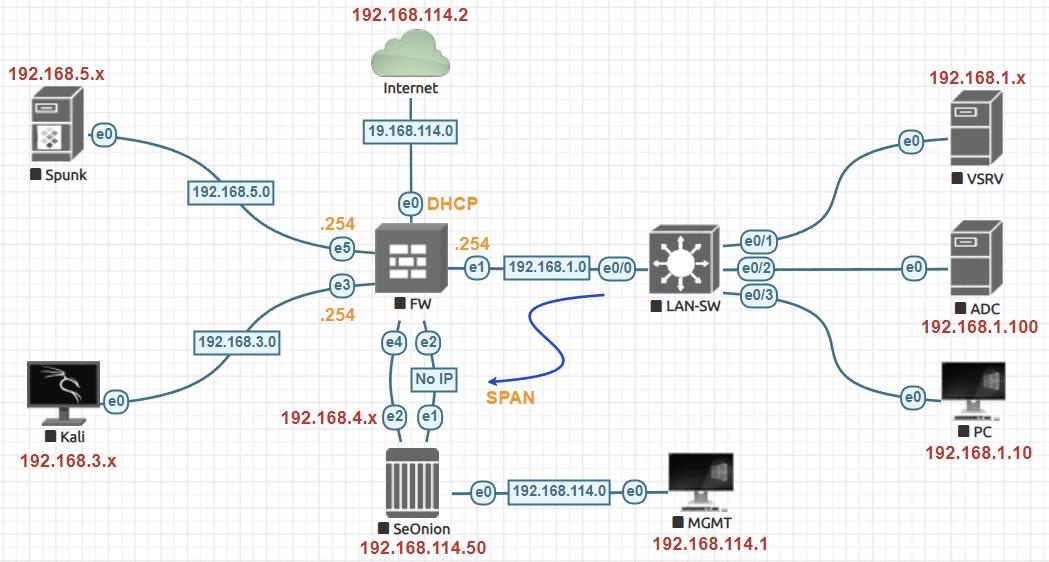
Figure 1. Virtual lab topology showing the Kali Linux attacker, pfSense firewall, Windows Server 2019 domain controller, Windows 11 client, Security Onion sensor, and Splunk server used throughout the investigation.
Attack Simulation
A small set of test usernames and passwords was created on the Kali Linux system. Crowbar was then used in RDP mode to send repeated login attempts to the domain controller on TCP port 3389. Incorrect combinations produced failed attempts, while the valid lab credential eventually enabled a successful remote desktop session.
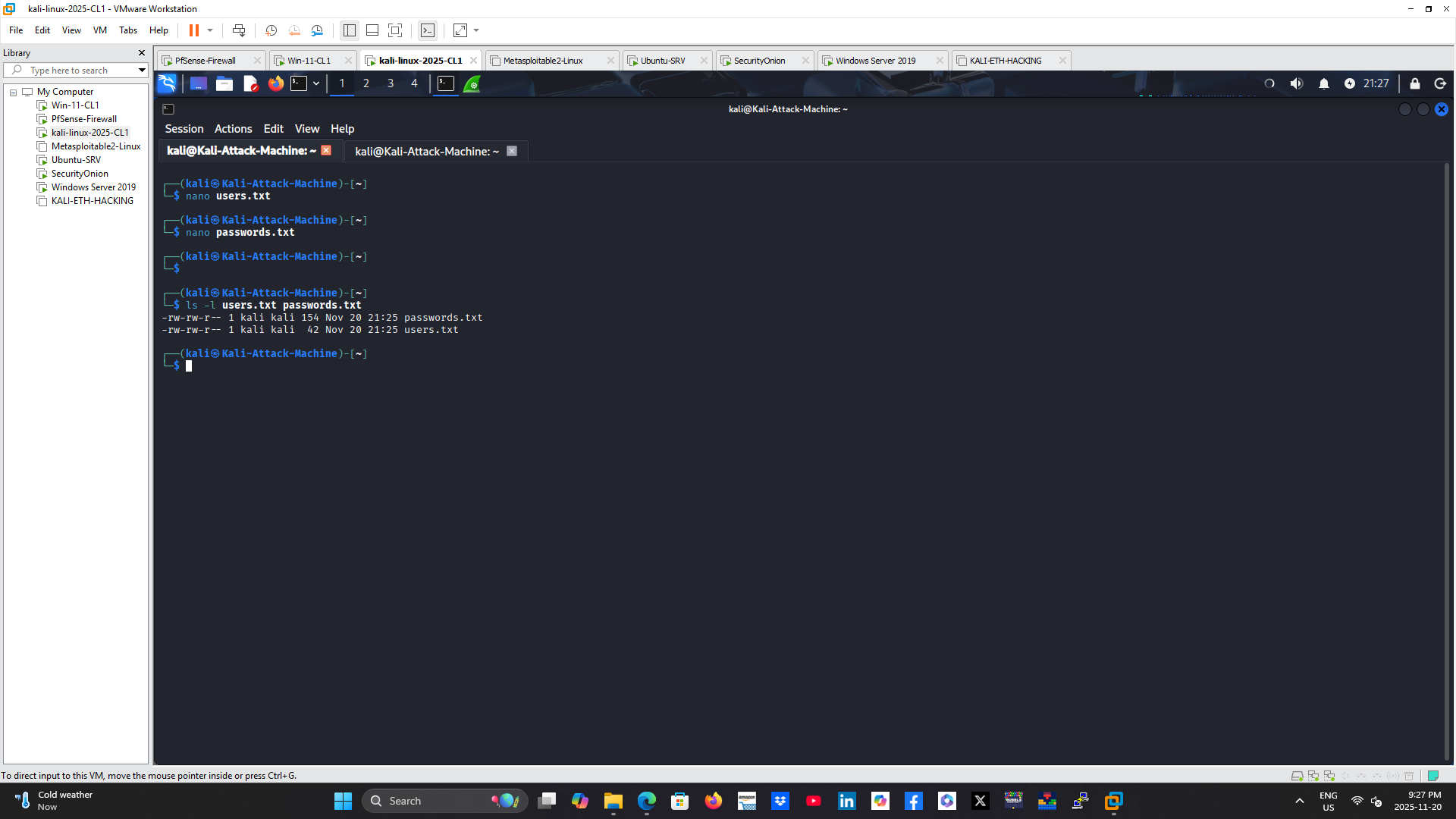
Figure 2. Kali Linux attack workstation prepared with custom username and password lists used to simulate an RDP brute force attack against the target domain controller.
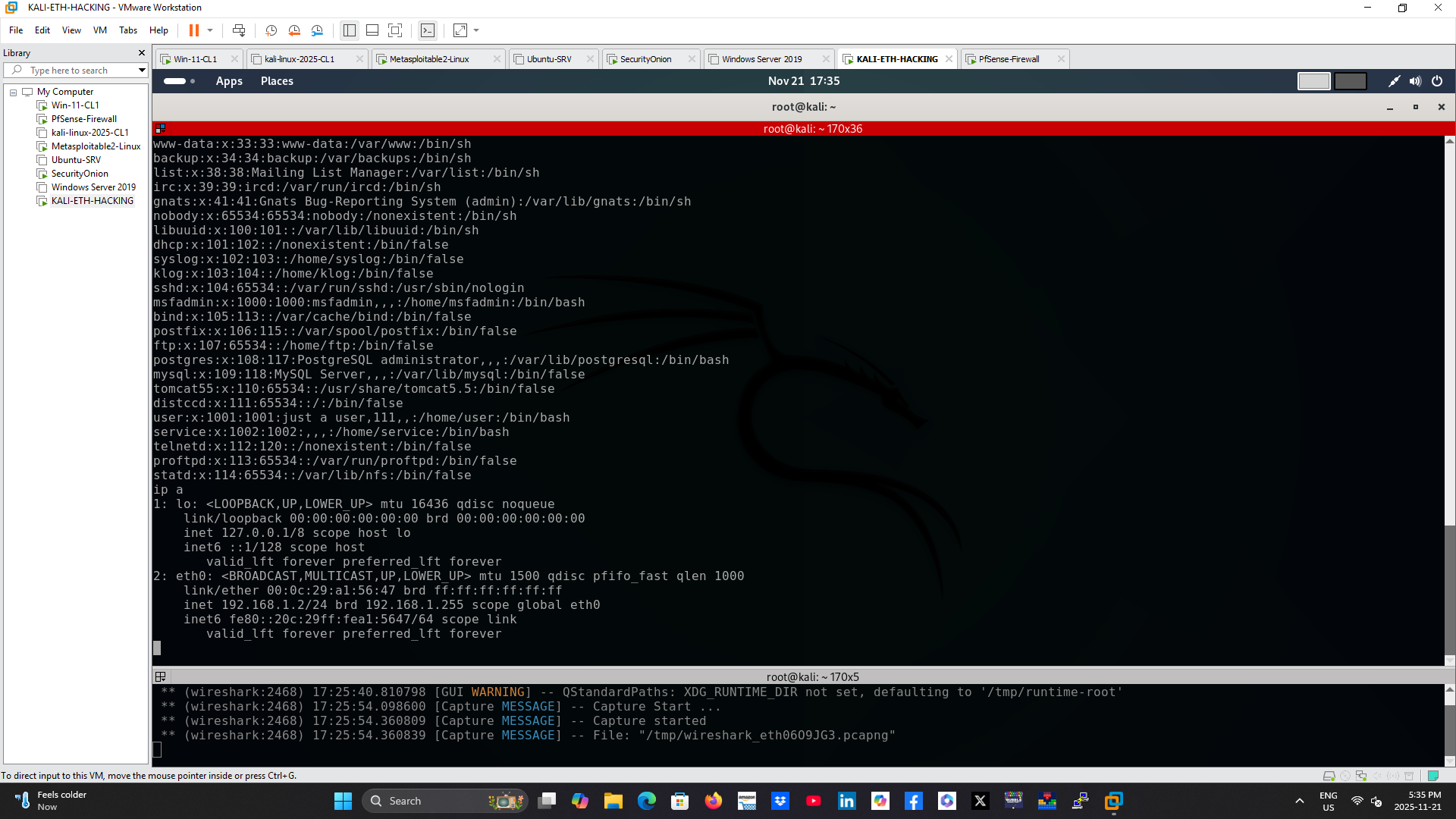
Figure 3. Network configuration of the Kali Linux attacker, confirming IP addressing and connectivity before initiating the attack.
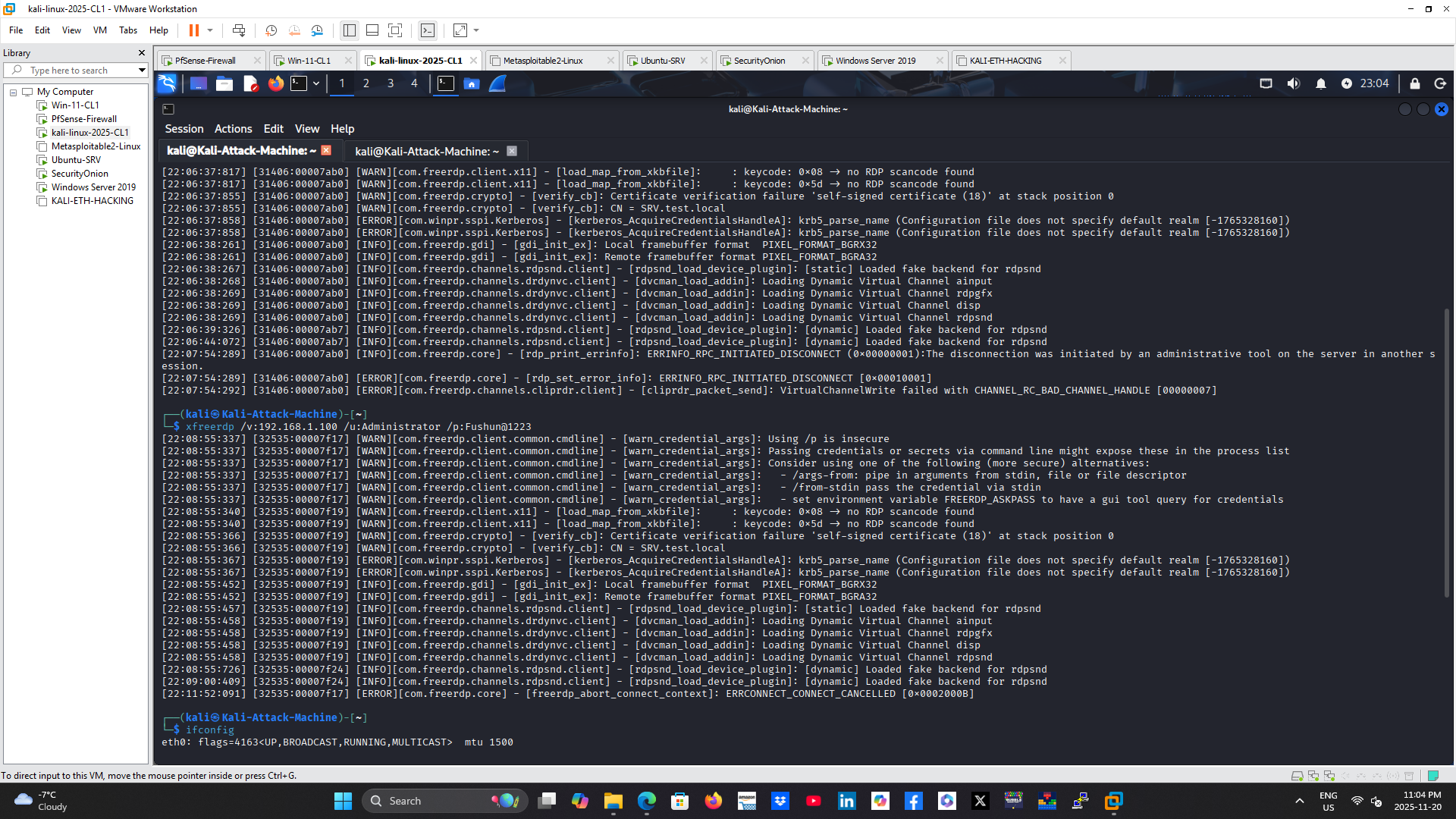
Figure 4. Crowbar executing repeated RDP authentication attempts against the Windows Server 2019 domain controller over TCP port 3389.
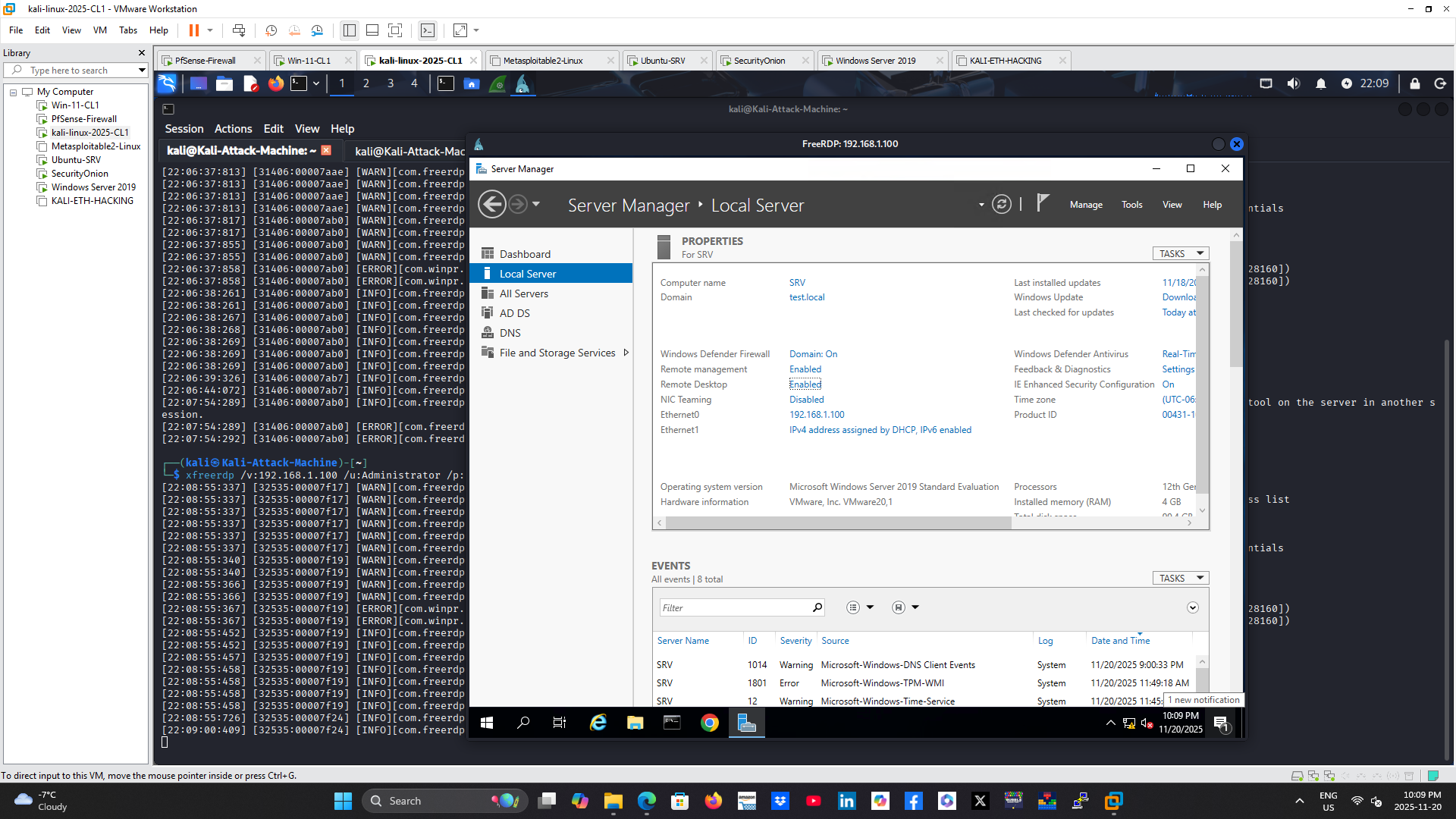
Figure 5. Successful Remote Desktop session established after valid credentials were identified, confirming completion of the simulated attack.
Network Evidence with Wireshark
Wireshark was used to capture traffic between the attacker and the domain controller. Filtering for TCP port 3389 exposed repeated connection attempts, TCP handshakes, TLS negotiation, and encrypted RDP application traffic.
The packet capture confirmed:
– Source IP: 192.168.3.1
– Destination IP: 192.168.1.100
– Destination port: 3389
– Repeated RDP connection attempts
– Successful TLS negotiation once a valid session was established
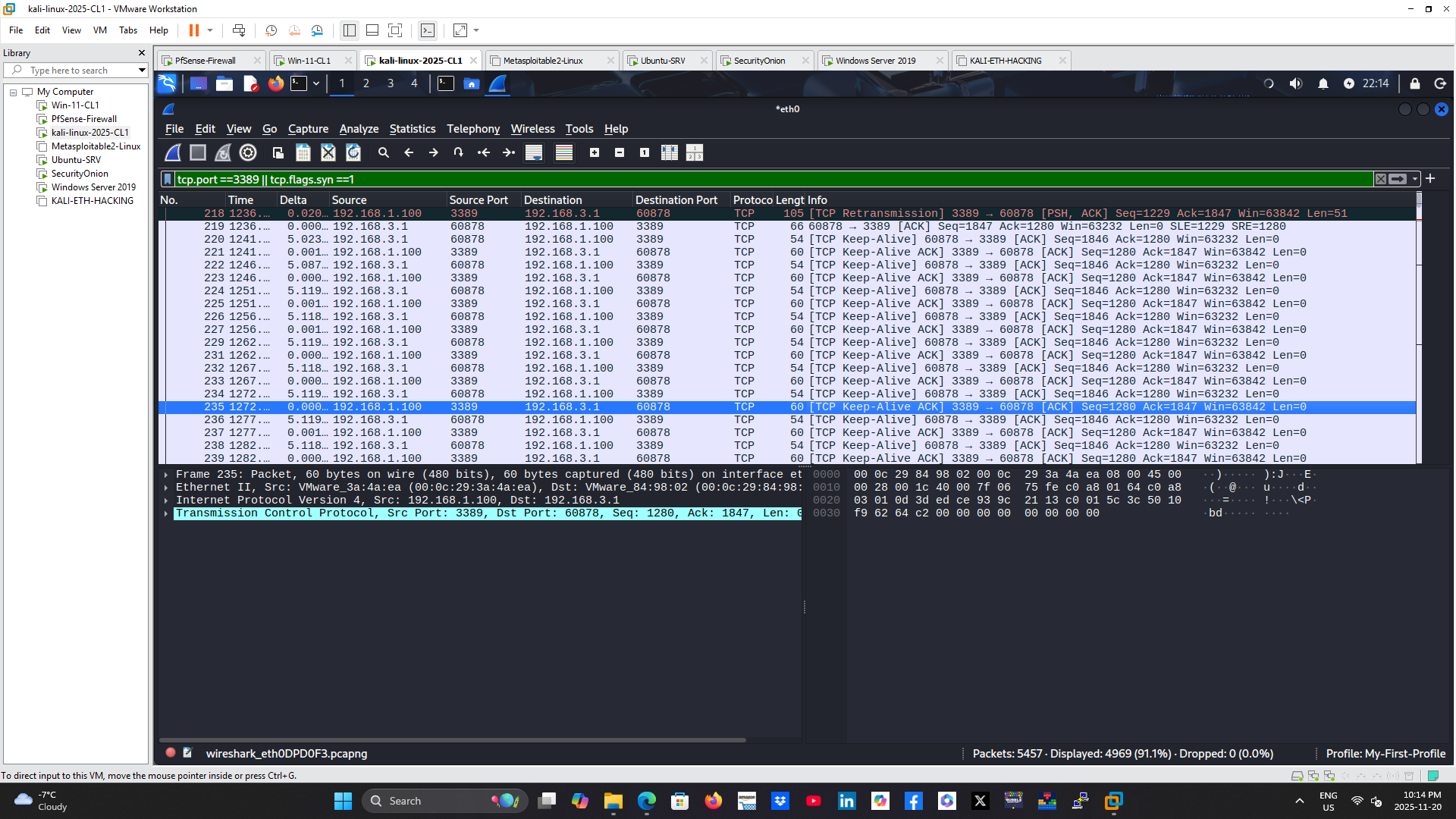
Figure 6. Wireshark packet capture displaying RDP traffic exchanged between the Kali Linux attacker and the Windows Server domain controller.
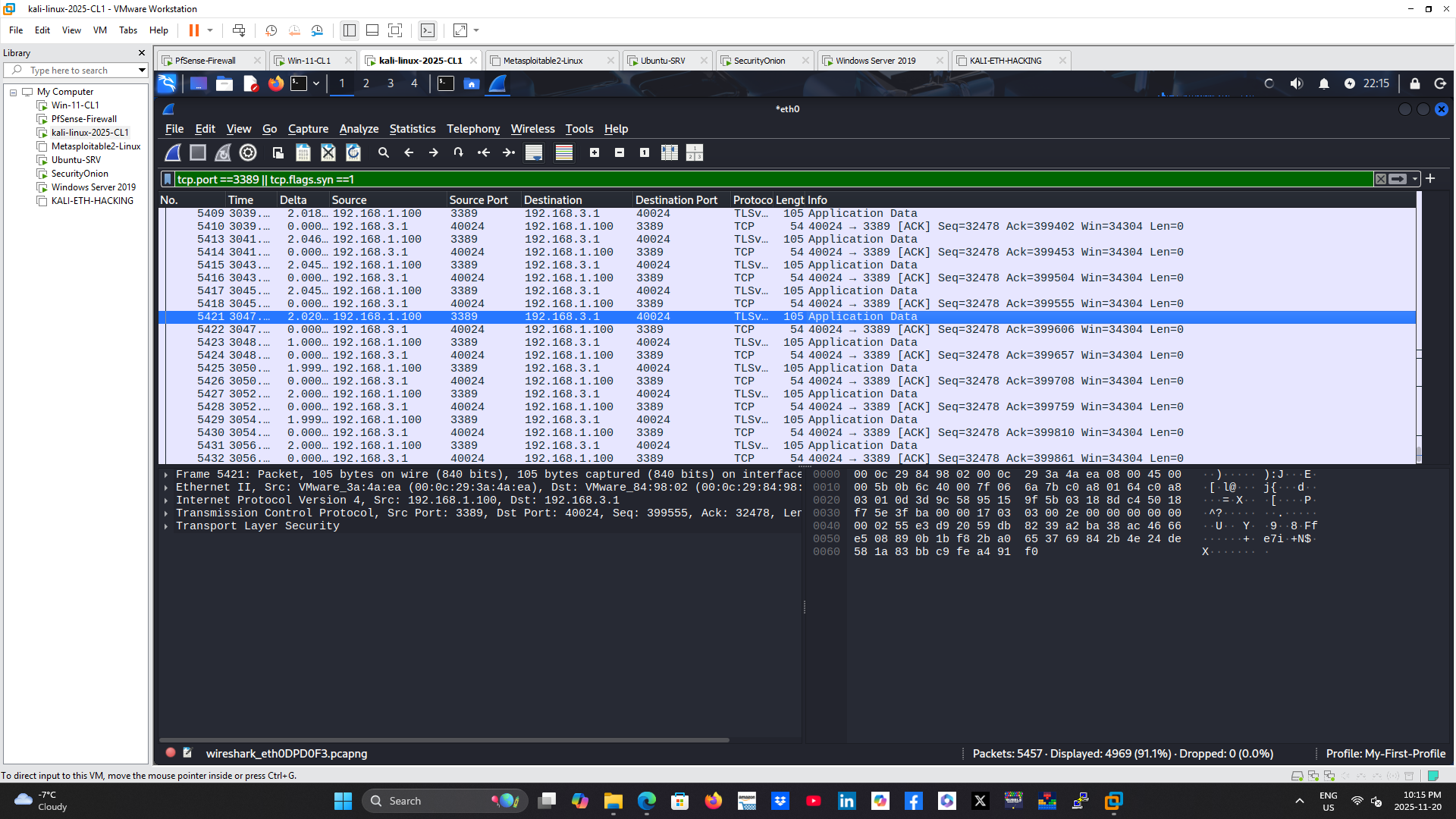
Figure 7. TLS negotiation observed during the RDP session, demonstrating encrypted communication following successful authentication.
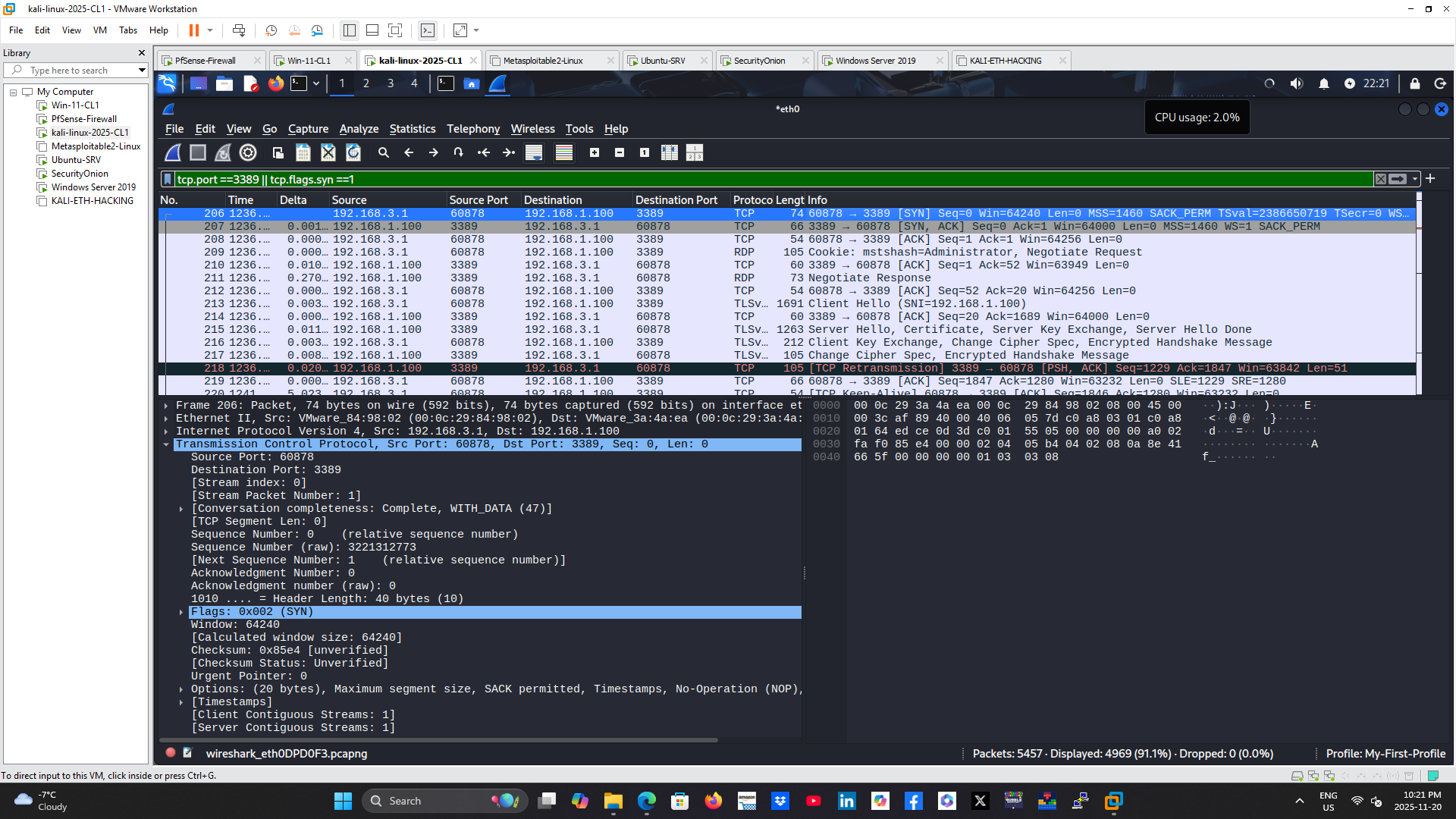
Figure 8. TCP three-way handshake initiating the Remote Desktop connection on destination port 3389.
IDS Evidence with Security Onion
Security Onion provided both alerting and protocol metadata. Suricata generated remote-access alerts related to RDP administrator login requests. Zeek recorded session details including the source IP, destination IP, destination port, and RDP client information.
This evidence showed that the monitoring platform could identify the remote-access activity and preserve enough metadata to support a deeper investigation.
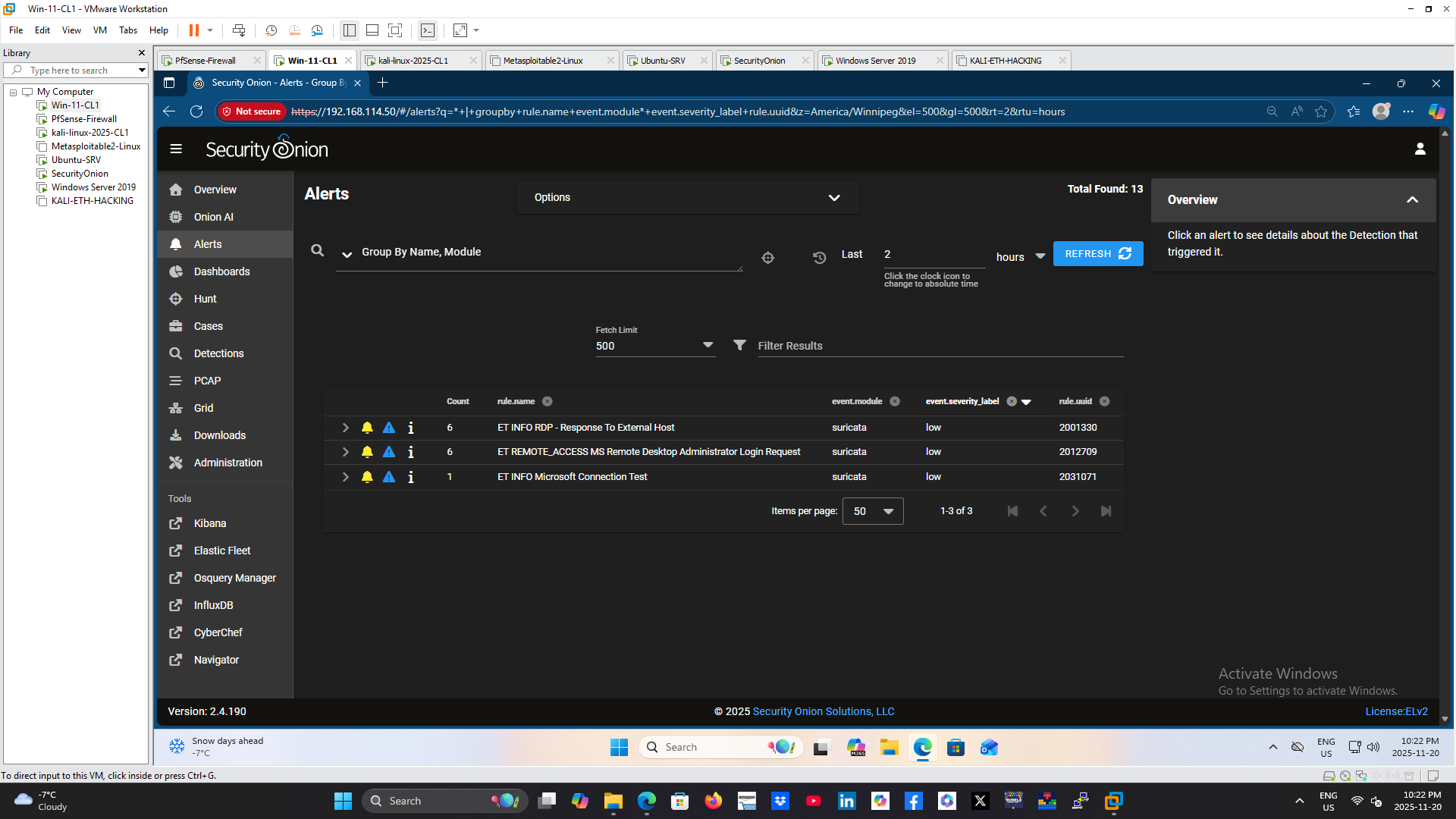
Figure 9. Security Onion dashboard displaying alerts generated during the simulated RDP brute force activity.
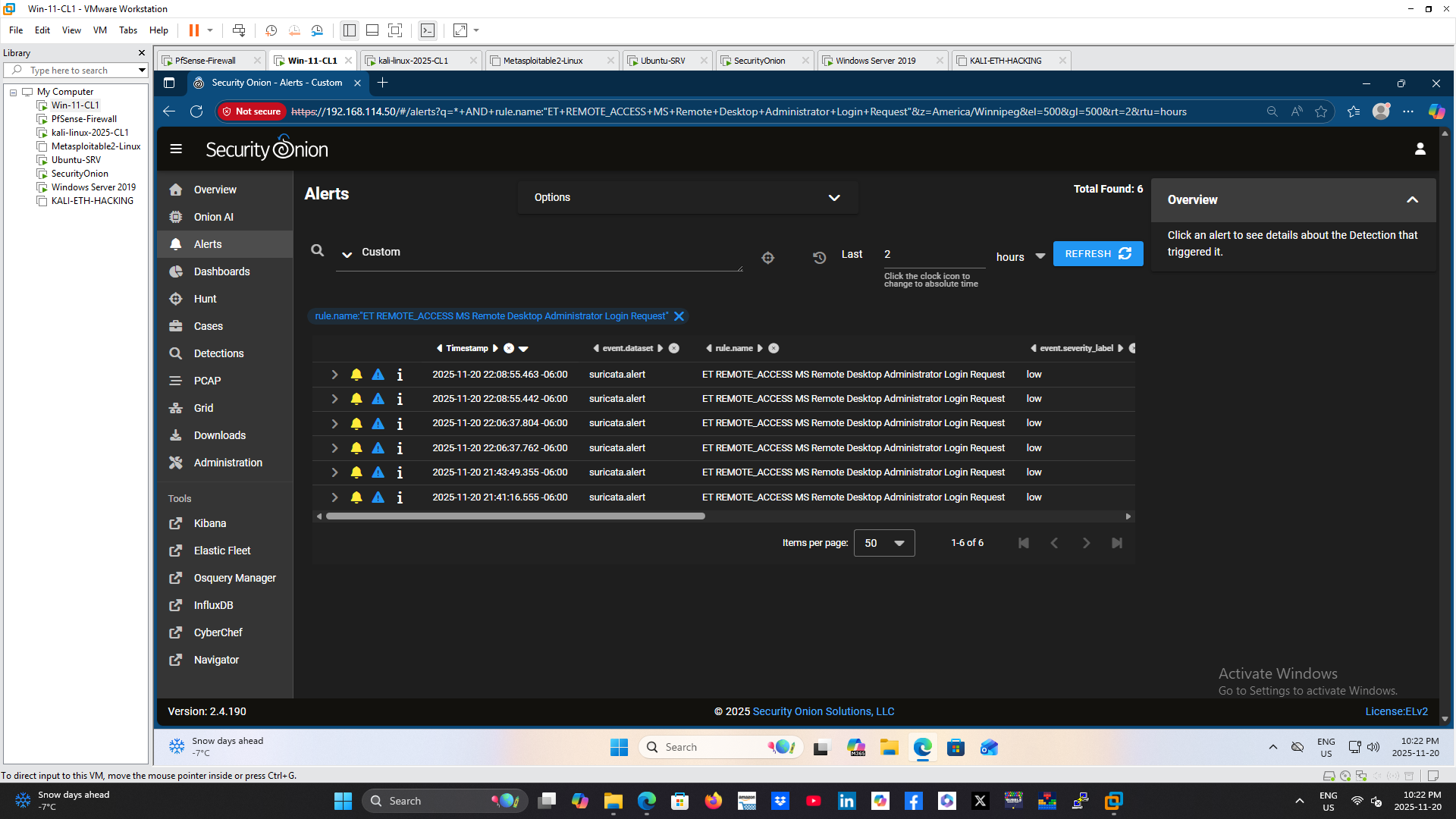
Figure 10. Suricata alert identifying suspicious Remote Desktop activity associated with repeated administrator login attempts.
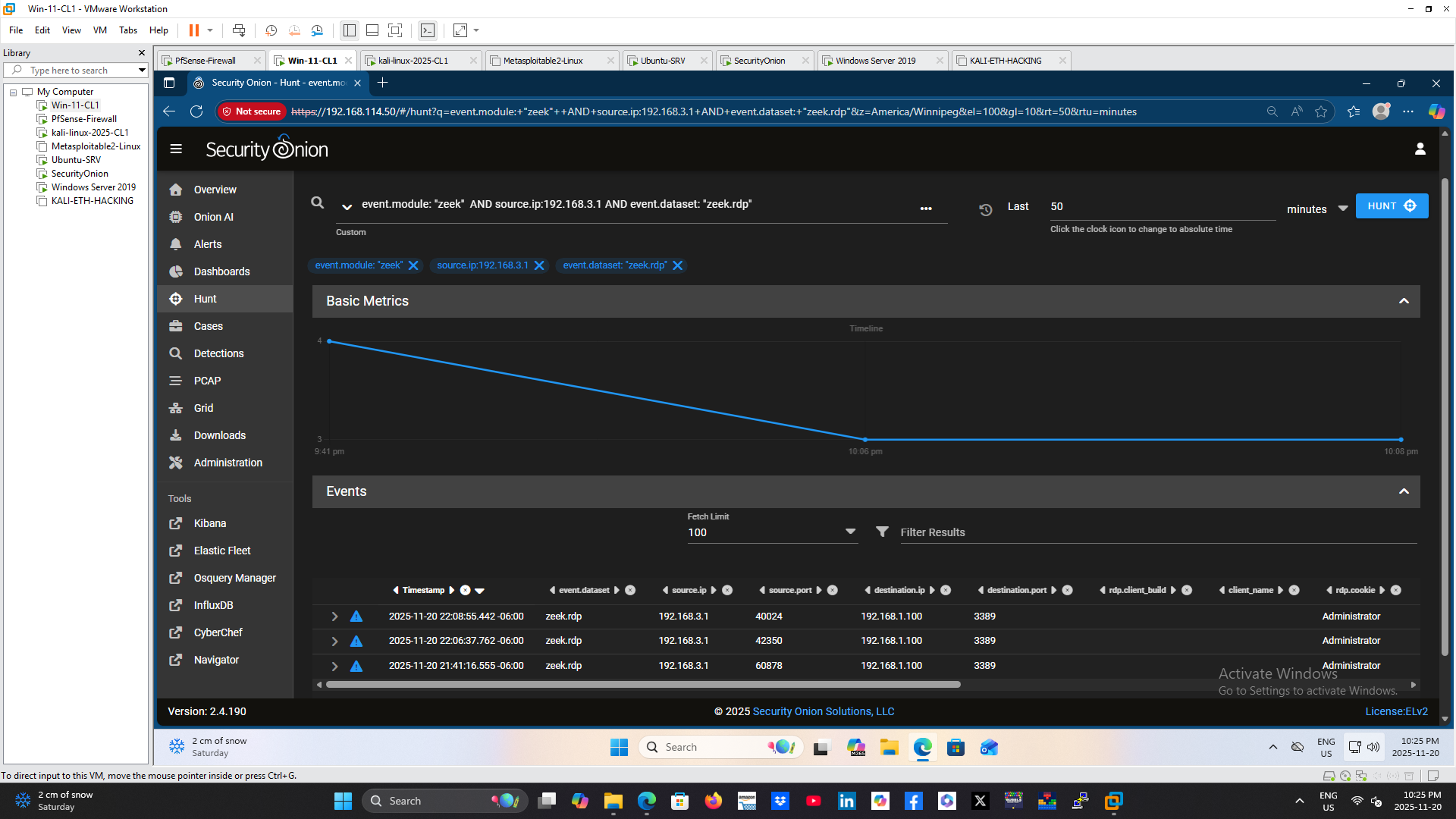
Figure 11. Zeek Hunt results highlighting RDP protocol activity, including source and destination systems involved in the attack.
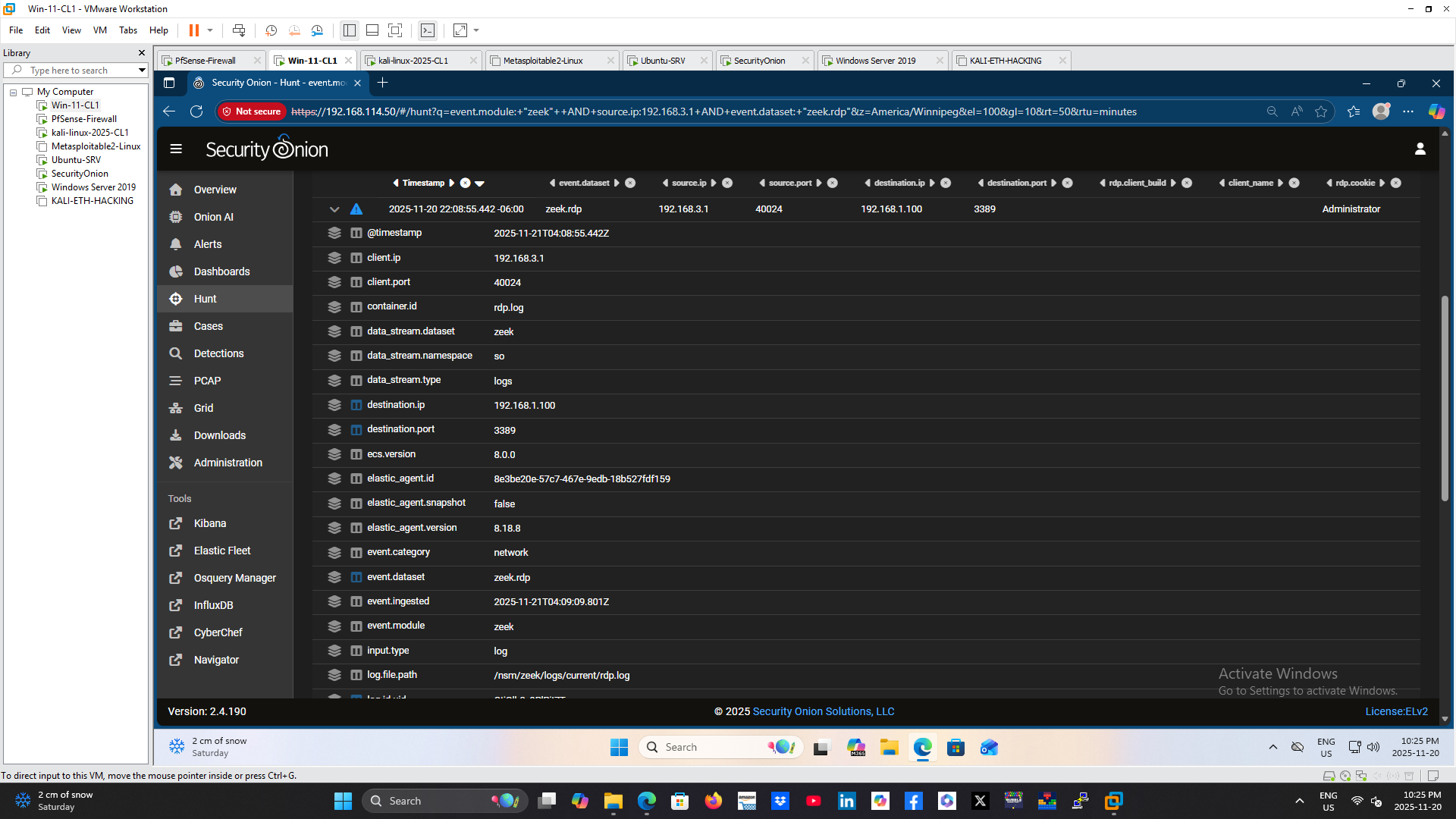
Figure 12. Detailed Zeek session metadata providing visibility into the RDP connection, including client information and session attributes.
Host Evidence with Windows Event Logs
Windows Security auditing recorded both failed and successful authentication activity:
– Event ID 4625: Failed logon attempts from 192.168.3.1
– Event ID 4624: Successful logon from the same source IP
The pattern of repeated failures followed by a successful logon is consistent with brute force activity resulting in account compromise.
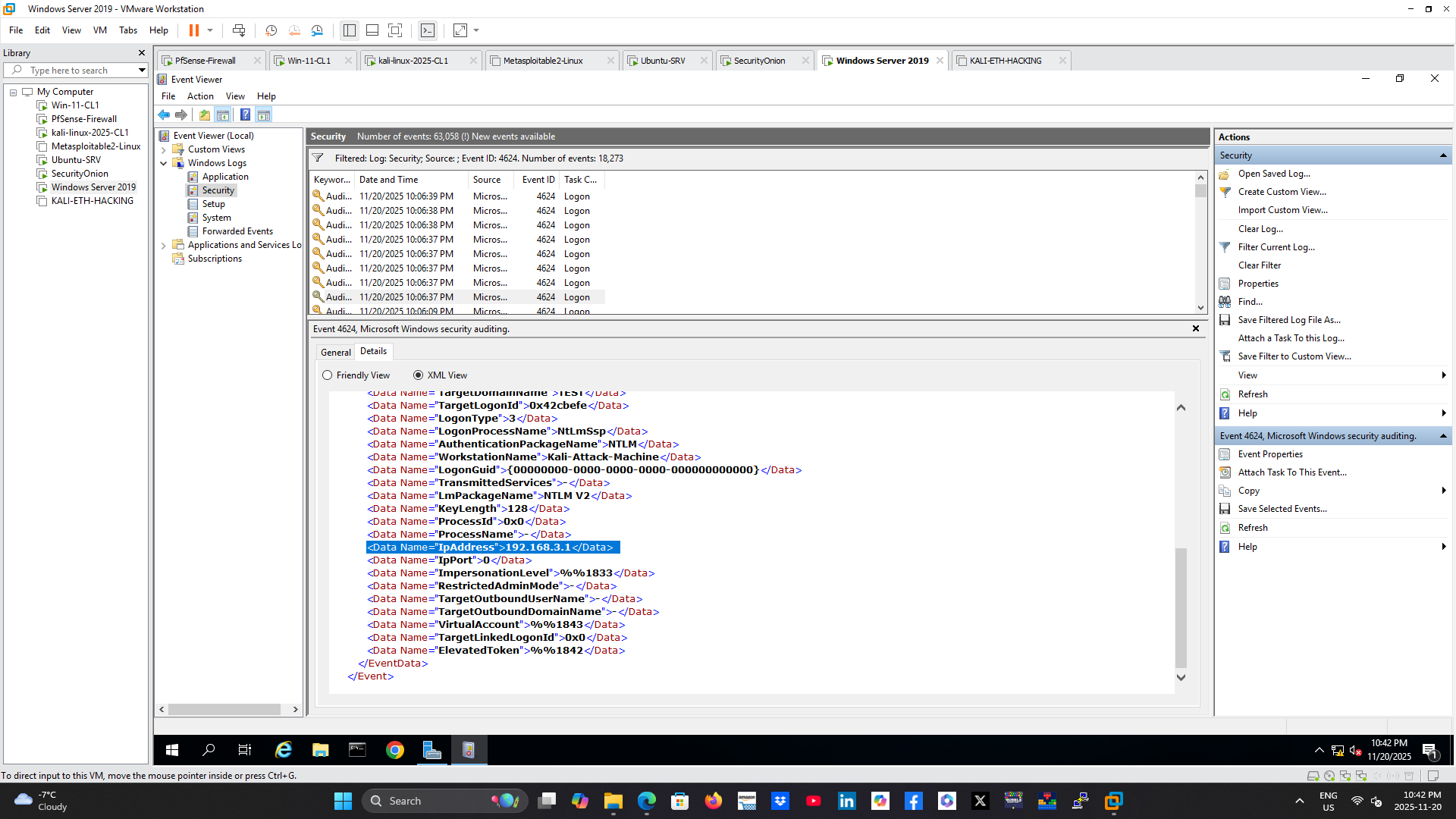
Figure 13. Windows Security Event ID 4624 confirming a successful administrator logon originating from the attacker’s IP address.
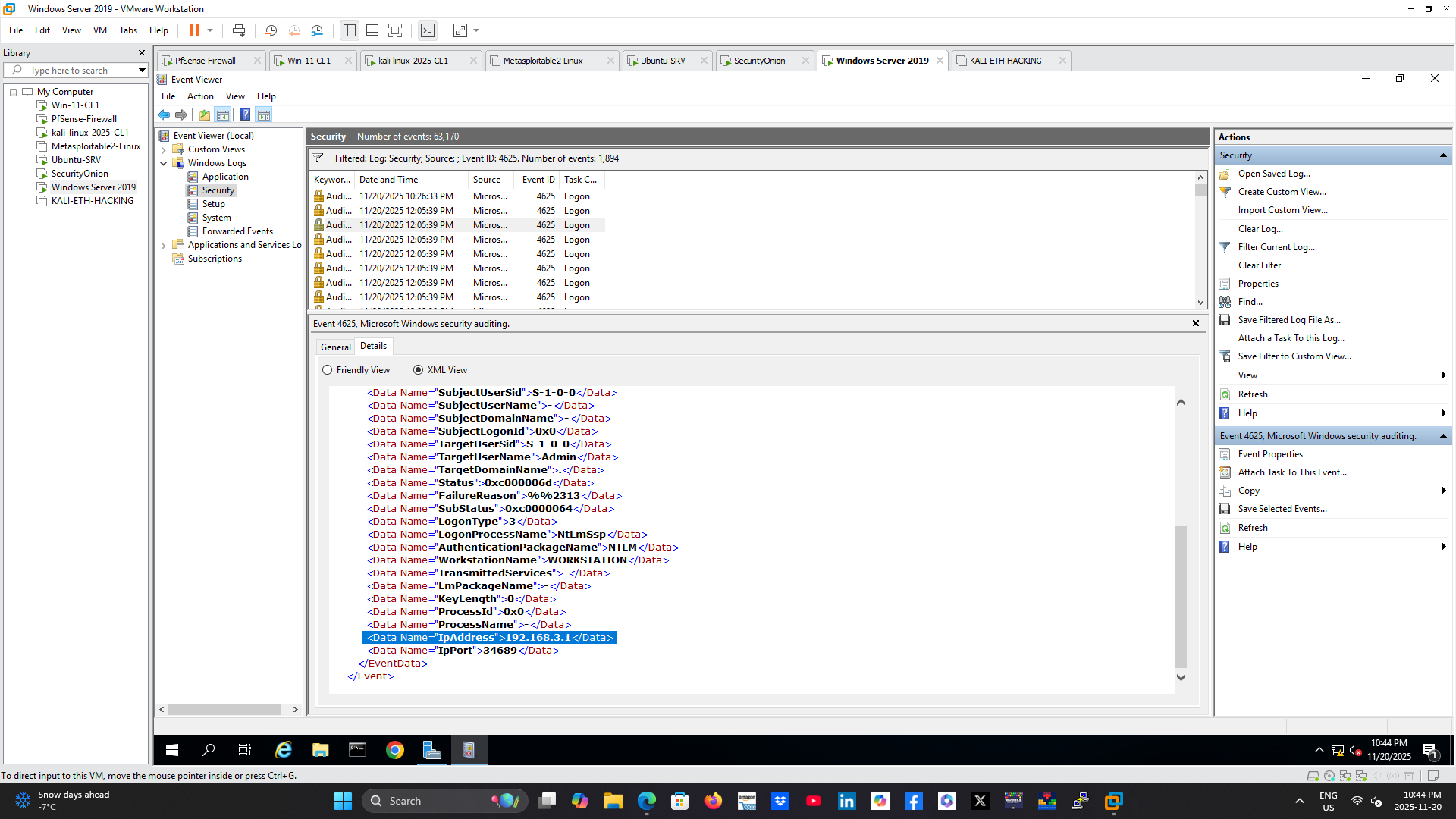
Figure 14. Windows Security Event ID 4625 recording multiple failed authentication attempts that preceded the successful login.
Log Correlation in Splunk
Windows Security logs were forwarded to Splunk. A search combined Event IDs 4624 and 4625, assigned each event a success or failure outcome, and grouped the results by account, source IP, and outcome.
This provided a single view of the authentication pattern and confirmed that the same attacker IP associated with repeated failures later produced a successful administrator logon.
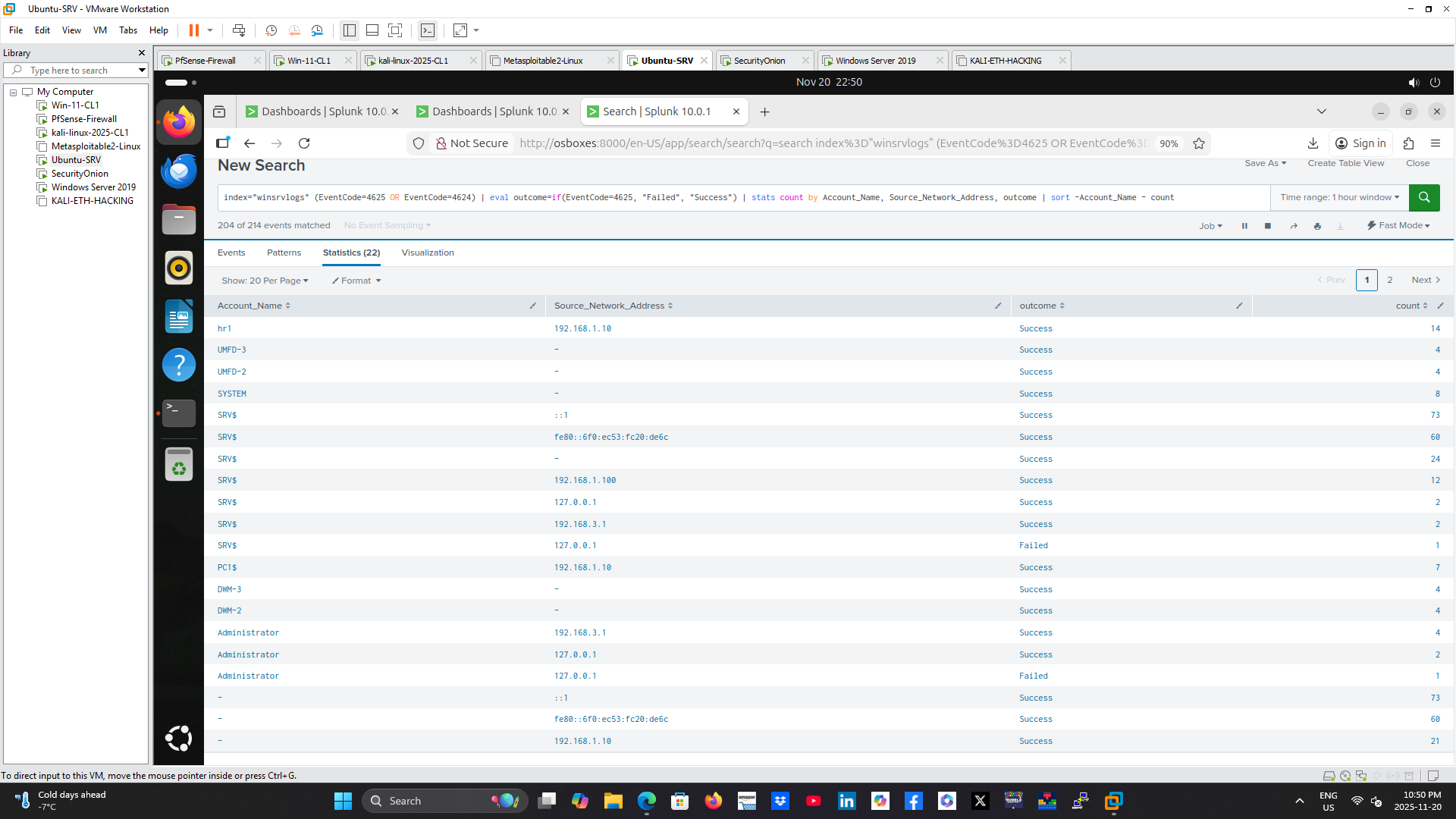
Figure 15. Splunk search correlating Windows authentication events to visualize the transition from repeated failed logons to a successful RDP login.
Investigation Findings
– The attack originated from 192.168.3.1.
– The target was the domain controller at 192.168.1.100 on TCP port 3389.
– Wireshark confirmed repeated RDP connection attempts and later encrypted session traffic.
– Suricata generated RDP remote-access alerts.
– Zeek recorded detailed RDP session metadata.
– Windows Event ID 4625 documented failed logons.
– Windows Event ID 4624 confirmed a successful logon from the same source.
– Splunk correlated the failures and success into a clear brute force pattern.
Investigation Outcome
The lab successfully demonstrated the full detection lifecycle of an RDP brute force attack, from network activity and IDS alerts to host authentication events and SIEM correlation. The investigation linked the attacker, target server, affected account, protocol, and successful login across multiple data sources.
Skills Demonstrated
– SOC investigation
– RDP security monitoring
– Windows Event Log analysis
– Splunk search and correlation
– Security Onion administration
– Suricata alert analysis
– Zeek log analysis
– Wireshark packet analysis
– Active Directory security
– TCP/IP troubleshooting
– Incident documentation
Technologies Used
Kali Linux, Crowbar, xfreerdp, pfSense, Windows Server 2019, Active Directory, Windows Event Viewer, Wireshark, Security Onion, Suricata, Zeek, Splunk, VMware Workstation.
Key Takeaways
This project reinforced the importance of correlating multiple telemetry sources. Network captures establish who communicated with whom and over which protocol. IDS tools provide alerts and session metadata. Windows logs connect activity to specific accounts, while Splunk brings the evidence together into a searchable incident timeline.
Recommended Mitigations
– Restrict RDP exposure using a VPN or secure gateway.
– Enforce multi-factor authentication for remote access.
– Apply account lockout and smart password policies.
– Limit RDP access to approved users and source networks.
– Monitor Event IDs 4624 and 4625 for abnormal patterns.
– Alert on repeated failures followed by a successful login.
– Use Network Level Authentication and keep systems patched.N
0 Comment